
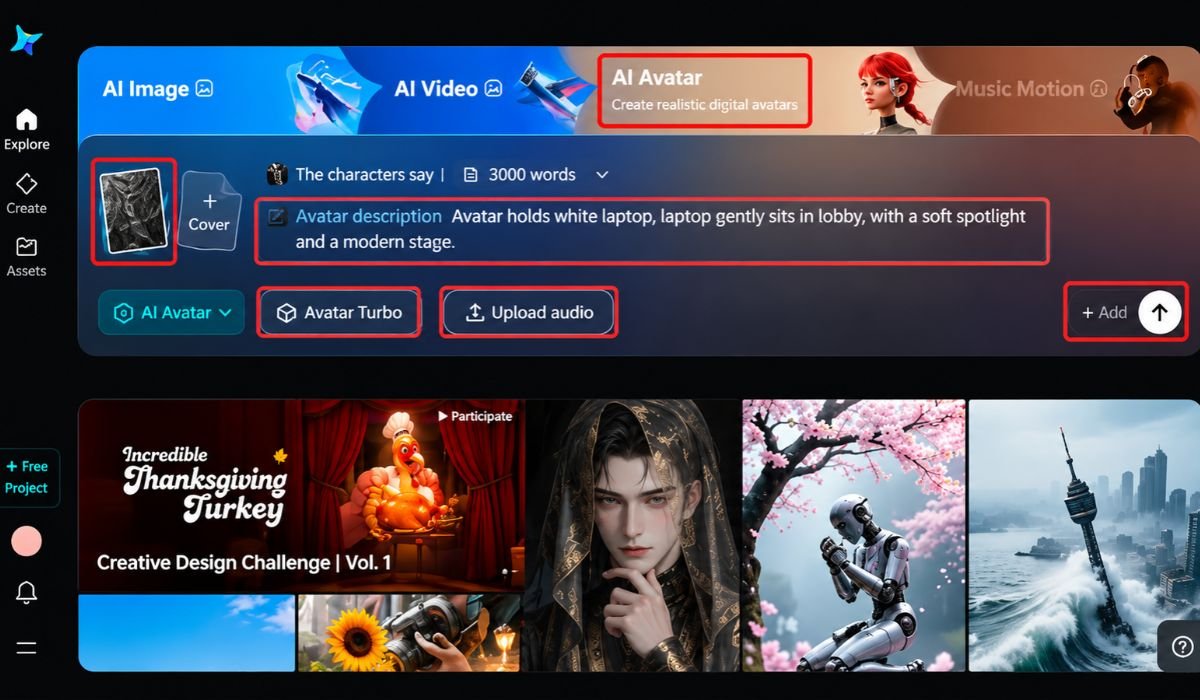
Creating a video with artificial intelligence may look simple at first. You provide an idea, select a few settings, and receive a generated clip. However, once you begin working on real projects, you quickly discover that different platforms offer different capabilities. Some are designed to turn written descriptions into scenes, while others animate existing pictures or help users produce videos with ready-made templates.
Understanding these differences is important when comparing ai video generator tools. The right choice depends less on how impressive a demonstration looks and more on what you need to create, how much control you require, and where the finished video will be used.
Understand the Main Types of Video Generation
AI video platforms do not all work in the same way. Knowing their basic functions can help you avoid choosing a service that does not match your project.
Text-to-video generation creates moving visuals from written instructions. It can be useful when you have an idea but do not have photographs or recorded footage to work with. For example, you could describe a quiet street during rainfall and use the generated result as a creative visual.
Image-to-video generation starts with an existing picture and adds movement. This can be helpful for animating product photographs, illustrations, landscapes, or other still images.
Template-based video creation provides ready-made layouts and editing structures. It may suit users who want to combine text, images, transitions, and other elements without building every scene independently.
Some platforms offer several of these functions in one place. Others specialize in a narrower type of generation. Identifying the kind of output you need is a sensible first step.
Decide How Much Creative Control You Need
Convenience is valuable, but it should not come at the expense of important creative decisions. Before selecting a platform, consider how closely the generated result needs to match your original idea. A person creating a short visual for a personal project may be comfortable with unexpected details. A business preparing a product demonstration may need much greater accuracy. The product’s appearance, packaging, and important features should remain recognizable throughout the video.
Look at the controls available for describing subjects, settings, movement, and visual style. Also consider whether the platform allows you to adjust a result or whether you must generate another version whenever something needs changing. Dreamina is one platform creators can explore when looking for AI-assisted visual creation features. As with other services, its suitability depends on the specific functions, output requirements, and access conditions available to the user.
Test a Platform with a Small, Realistic Project
A long list of features does not necessarily tell you how a tool will perform during everyday use. A small practical test can reveal much more. Choose a simple project similar to the videos you expect to make. If you plan to create product content, test a product-related scene. If your work involves educational material, try generating a short explanatory visual. During the test, pay attention to a few important questions:
- Does the result follow the main instructions?
- Does the subject look consistent throughout the clip?
- Is the movement suitable for the scene?
- Can you make useful adjustments without starting over repeatedly?
- Is the final quality suitable for your intended platform?
Do not judge a service by one successful result alone. Try a second prompt or a slightly different scene to see whether the quality remains reasonably consistent.
Look Beyond the Visual Quality
An attractive video is not automatically a useful video. A generated scene may have impressive lighting and smooth movement but still fail to communicate the intended idea. For this reason, review the result from the viewer’s perspective. Is the main subject easy to recognize? Does the action make sense? Are there distracting changes in the background or unexpected details that weaken the message?
Pay particular attention to hands, faces, product features, written signs, and objects that move during a scene. These areas can reveal generation errors that are easy to overlook when watching quickly. If the video contains factual information, check that information separately. AI-generated visuals should not be treated as proof that a depicted event, process, or product feature is accurate.
Consider Time, Access, and Total Cost
A platform may offer free access but still have limits that affect regular production. Some services restrict the number of generations, while others limit video length, resolution, or access to particular features. Check these conditions before planning a project around a specific tool. It is also useful to understand whether unused credits expire, whether exports contain watermarks, and whether higher-quality downloads require payment.
Think about the time involved as well. A service that produces a clip quickly may still require several attempts before the result is suitable. The most practical option is often the one that balances output quality with the effort needed to reach an acceptable result. For business projects, review the provider’s commercial-use terms and privacy policy. Avoid uploading confidential material or personal images unless you understand how the service handles submitted content.
Match the Tool to the Job
There is no single platform that is ideal for every creator. A beginner may value a straightforward interface, while an experienced editor may prefer more control over visual details. A small business may prioritize dependable exports, whereas an independent artist may be more interested in experimenting with unusual scenes.
Make your decision according to the work you actually intend to produce. Consider the type of video, the amount of editing required, the available budget, and the quality expected by your audience. It is also reasonable to use different tools for different tasks. One service might be suitable for generating a visual concept, while another may be more practical for assembling the final video with captions, narration, and other editing elements.
Conclusion
AI video generator tools offer different ways to turn ideas and visual material into moving content. Choosing between them requires more than comparing attractive examples or counting available features. Understand the generation methods, test realistic projects, examine creative controls, and check the practical conditions of using each platform. A thoughtful choice can make video creation more manageable and help you produce content that serves its intended purpose.












Leave a Reply